
Blank template (.xlsx)
Sample-filled example (.xlsx)
Step-by-step PDF guide
Delivered together in one ZIP download.
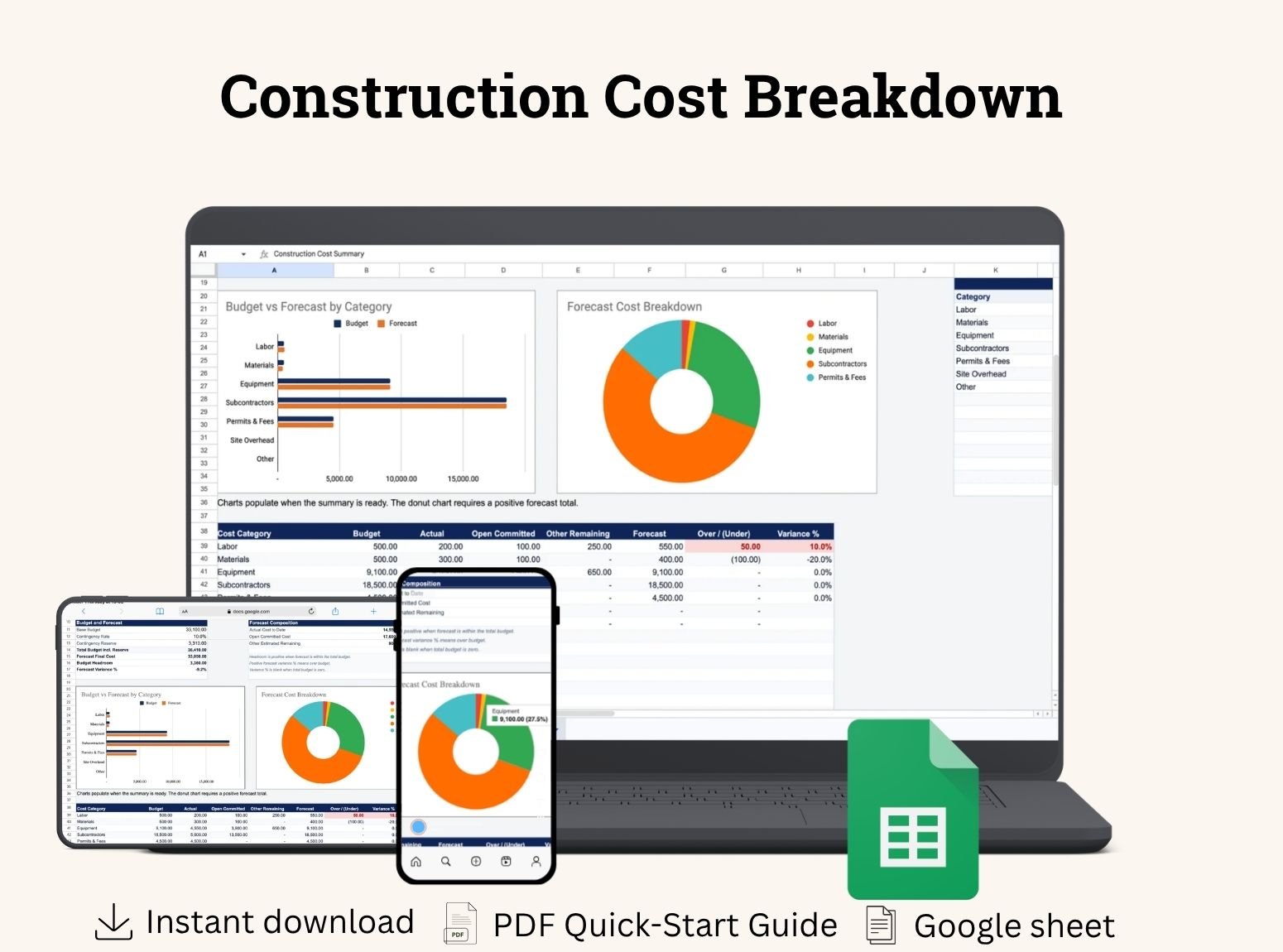
Track construction budgets, actual costs, and forecast expenses in one spreadsheet. Three connected tabs help you organize project details, itemize costs, and review totals with charts.
Blank template (.xlsx)
Sample-filled example (.xlsx)
Step-by-step PDF guide
Delivered together in one ZIP download.
Digital product, not physical
Nothing ships. Access your file(s) immediately after payment.
Instant download link
Secure link appears on your confirmation page right after checkout.
Sent to your email
Download link also emailed so you can access it anytime.
Secure & private
Your download link is unique to your purchase. Do not share it.
A project can look under budget when you only consider the bills received so far. Materials on order, subcontractor commitments, and work still to be arranged can change the final picture.
This Construction Cost Breakdown template brings those costs together. Record what you planned to spend, what you have already incurred, and what you still expect to spend. Use the summary to see whether your current forecast fits within the project budget.
The workbook uses three connected tabs, each with a specific purpose.
Enter your project name, client details, contractor information, and reporting date. Choose a currency and set a contingency percentage.
This tab also holds the categories and units used in your cost-entry dropdowns. Standard categories include Labor, Materials, Equipment, Subcontractors, Permits & Fees, Site Overhead, and Other.
Enter each cost item or work package on its own row. Add a description, supplier or subcontractor reference, planned quantity, unit, and planned rate.
The sheet calculates the budget cost and compares it with your forecast. Item-level amounts and percentages help you identify which parts of the project are expected to exceed their original budgets.
Review the base budget, contingency reserve, total budget, and forecast final cost without manually combining cost rows.
The summary also shows category totals, budget headroom, and charts. Entry notices help you identify incomplete information before relying on the results.
The forecast separates costs into three groups so you can account for work at different stages.
Cost group | What to record |
|---|---|
Actual Cost | Costs already incurred, including supplier invoices that have not yet been paid. |
Open Committed Cost | Confirmed future costs not already included in Actual, such as the remaining portion of a purchase order or subcontract. |
Other Estimated Remaining Cost | Additional expected costs that have not yet been incurred or committed. |
The forecast final cost is the sum of these three groups.
For example, if you have incurred 4,000, committed another 3,000, and expect 2,000 of additional work, the forecast is 9,000. Each amount should appear in only one group to avoid double-counting.
Set a contingency percentage to add a reserve to your base budget. The template includes this reserve when calculating the total budget and remaining headroom.
Contingency does not automatically increase forecast costs. When you expect additional work or materials, enter those costs in the appropriate project line items.
This distinction helps you see both the reserve available and the expenses you currently expect.
The Budget vs Forecast chart compares planned and expected costs by category. Use it to identify whether labor, materials, subcontractors, or another category is driving a forecast overrun.
The Forecast Cost Breakdown chart shows how the expected total is distributed across categories. It helps you understand which costs account for the largest share of the project.
Both charts are linked to the workbook’s data. Contingency is excluded from the category charts because it is a project-level budget reserve.
Enter the project information, select your currency, and choose a contingency rate. Review the category and unit lists before entering costs.
Add your work items, planned quantities, and rates. Enter actual costs, open commitments, and remaining estimates for each item.
Use an explicit zero when you have confirmed there is no amount to enter. Leave an amount blank if it is still unknown; the workbook will flag the incomplete entry.
Check the forecast, budget headroom, category comparisons, and any entry notices. Investigate unexpected variances before using the results to make project decisions.
Refresh actual and remaining costs as new information becomes available. When a committed cost is incurred, move the relevant amount into Actual rather than counting it in both places.
Use the template for renovation work, construction projects, trade installations, and defined maintenance projects where you need an itemized cost view.
Organize costs around your project’s scope, whether that means materials and labor for a small job or multiple suppliers and subcontractors for a larger project.
The prepared workbook supports up to 200 cost items. Extending beyond this range requires updating formulas, validations, and summary references.
Use one currency throughout the workbook; currency selection does not convert amounts. Keep the same tax basis across budget and forecast, and preserve calculated columns when editing or clearing inputs.
The template tracks project costs. It does not calculate selling prices, profit margins, or tax returns.