
A blank Google Sheets template for your own jobs.
A filled example showing how the calculator works.
A four-page PDF user guide.
Digital Template
Flooring Prep & Extra Charges Calculator | Google Sheets
$9.99One-time purchase · Instant access
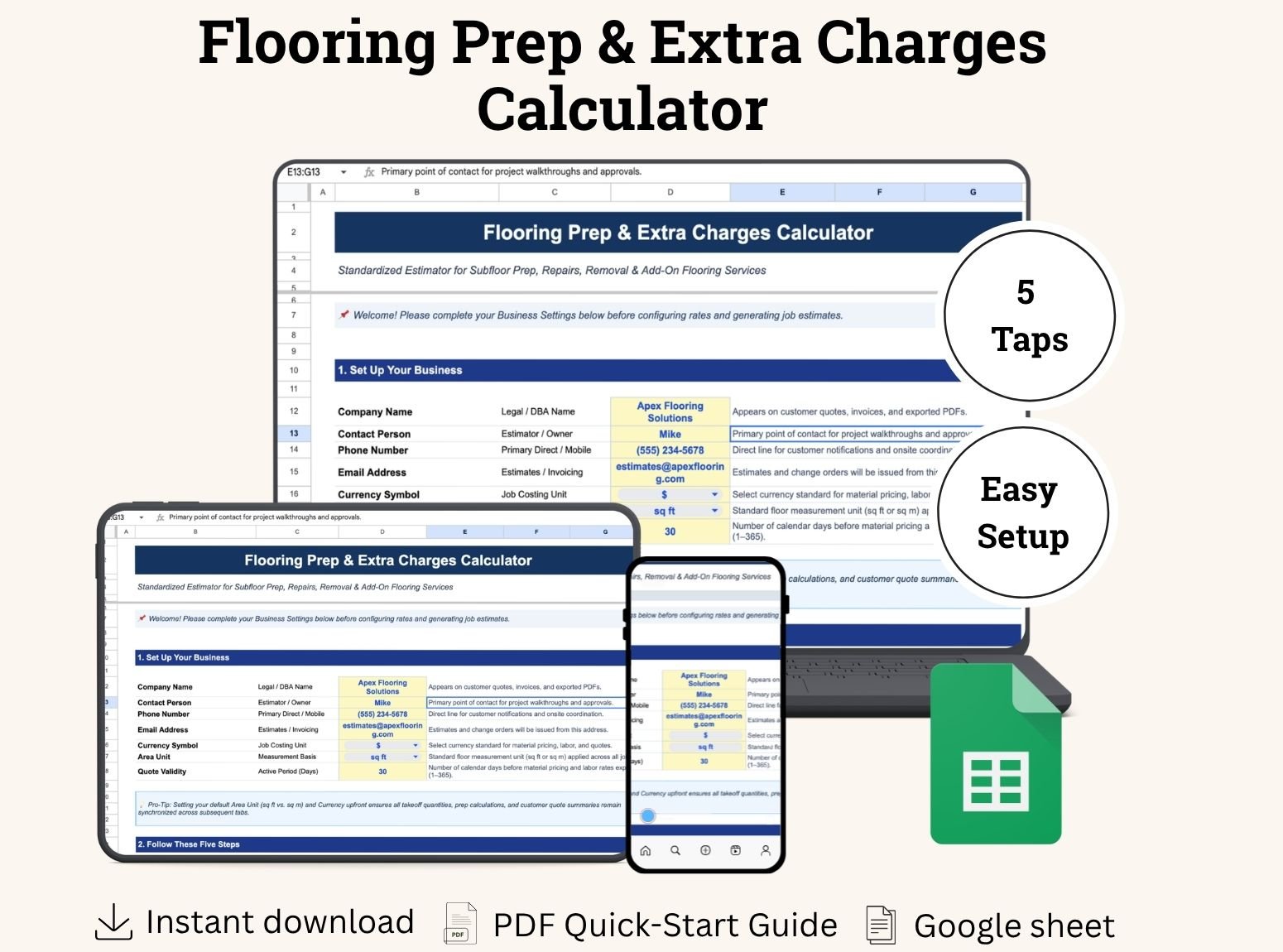
Calculate flooring prep and extra-work charges with this easy-to-use Google Sheets template. Estimate costs, create clear customer quotes, and compare estimated versus actual profit. Includes a blank template, filled example, and PDF user guide.
Secure checkoutInstant downloadMoney-back guarantee
Highlights
- Professional business template
- Digital download
- Digital file type(s): 1 File
What's included
Digital Delivery
Digital product, not physical
Nothing ships. Access your file(s) immediately after payment.
Instant download link
Secure link appears on your confirmation page right after checkout.
Sent to your email
Download link also emailed so you can access it anytime.
Secure & private
Your download link is unique to your purchase. Do not share it.
About this template
Small Extras Can Take a Big Bite Out of Your Profit
Old flooring removal, furniture moving, leveling, door trimming, and disposal all take time and money. When these jobs are missing from your estimate, you can end up doing more work without charging enough for it.
The Flooring Prep & Extra Charges Calculator helps you account for these extras before you send your quote—and see what profit remains after the job.
What Is It?
A Google Sheets template built for estimating flooring preparation and extra work. Enter your own quantities, labor costs, material costs, and customer rates to calculate a job’s extra charges.
Your internal costs stay separate from customer charges, making it easier to assess your pricing and prepare a clear customer-facing quote.
Who Is It For?
Flooring installers, independent contractors, and small flooring businesses that handle preparation work alongside their flooring installations.
Whether you are quoting an LVP job or another flooring project, the template gives you a consistent place to record the extra work each room needs.
Why Use It?
Account for commonly missed work. Start with preset services covering removal, furniture moving, leveling, underlayment, baseboards, transitions, doors, disposal, travel, and custom work.
Price using your own rates. Use area-based, hourly, per-piece, per-door, or fixed charges, with job-specific overrides when needed.
Understand your estimated profit. See direct costs, customer extra charges, profit, and margin before issuing the quote.
Give customers a clearer scope. Create a printable quote showing extra-work items and charges without exposing internal costs or profit.
Learn from completed jobs. Compare actual hours, expenses, and final billed amounts with your estimate to inform your next quote.
A Simple Workflow from Estimate to Job Review
Set up your business details and default rates, enter the work needed for each room, and review your customer quote. After the job, record actual costs to see how the results compare with your estimate.
Five connected tabs guide you through the process: Start Here, My Rates, Job Calculator, Customer Quote, and Actual Costs & Profit.
What You Receive
Blank Google Sheets template for your own jobs.
Filled example to help you understand the calculations.
PDF user guide explaining the fields and workflow.
Keep a blank master and make a separate copy for each job.
Know Before You Buy
This is a digital Google Sheets template requiring a Google account. It covers preparation and extra work; main flooring installation is quoted separately.
You enter your own rates and leveling material quantities. Currency and unit settings do not convert existing values. Customer charges exclude tax, and profit reflects entered direct costs.
Give every extra task a place in your estimate—and make your next flooring quote with a clearer view of the costs.